
Shopify is one of the best platforms for SEO, especially when it comes to online stores and e-commerce marketing. The problem? It’s a beast.
Your shop’s SEO settings are scattered throughout your website’s theme and backend, and making what should be a “quick change” can take 15 minutes just to find the right place to add in your SEO details. Or, depending on what you’re trying to accomplish, a new plugin.
Luckily, updating your Shopify homepage SEO title and meta description isn’t a task you’ll need a new plugin for. In fact, it’s hiding right under your nose!
Here’s where to look and best SEO practices for changing your Shopify store SEO title:
What is an SEO Page Title and How to Write One for Your Store’s Homepage
An SEO page title, also called a title tag or page title, is a clickable header or headline that shows up on a search engine results page, in browser tabs, and share links. It’s a part of your webpages metadata (a one-word phrase that sums up alt. Image descriptions, meta descriptions, schema, and more).
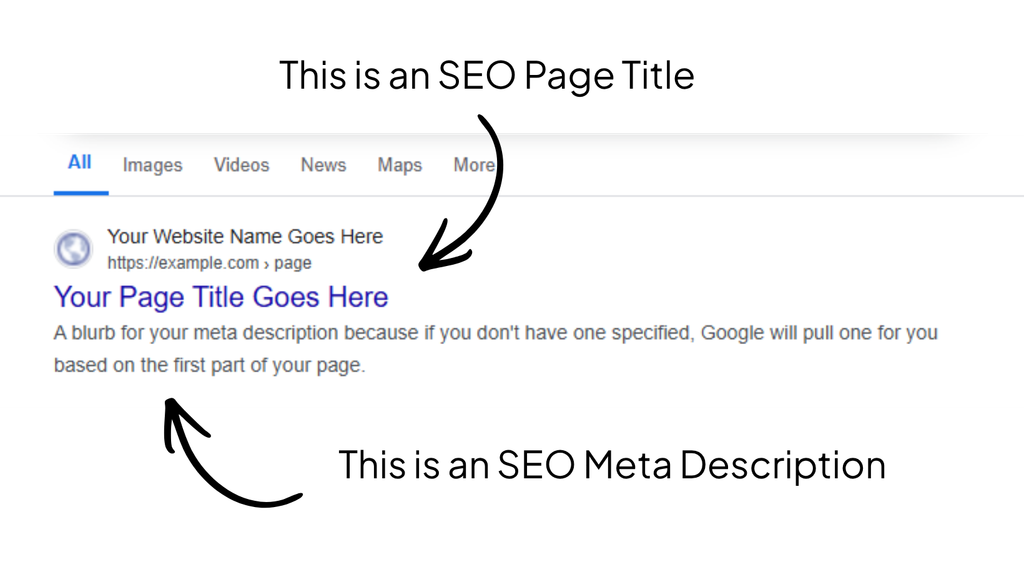
The goal of a SEO page title, specifically for your store’s homepage, is to tell Google (and other search engines) what your shop sells, who it sells it to, and, if applicable, where you sell it. It also sticks to around 50-70 characters—although this isn’t a Google rule, it is a best practice.
A good homepage title example for a Shopify store might look like this:
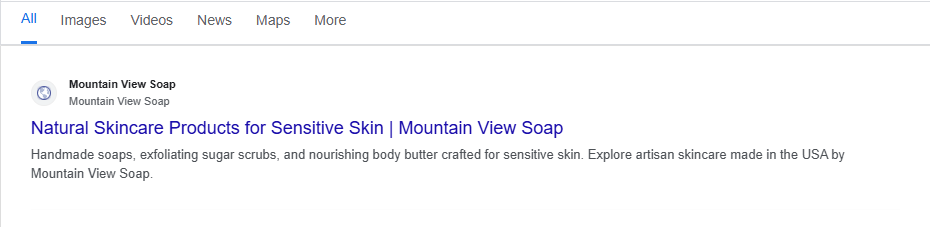
You’ll usually follow a template or formula, based on a keyword research (for our example, the client’s keyword is “natural skincare products” with a secondary keyword of “skincare for sensitive skin”). For example, your homepage title might follow:
- [What You Sell] | [Your Brand Name]
- [What You Sell] for [Who It’s For] | [Your Brand Name]
- [What You Sell] for [Who It’s For] | [Your Location]
- [What You Are, etc. “Baby Boutique”] | [Brand Name]
- [What You Are] in [Your Location] | [Brand Name]
Be as clear and contextual as possible within the restrictions! Your page title is equally for the bots and crawlers (who need the information to know what your page is about) and for people searching (who need to see that your site matches their search intent and deserves their click).
Pssst…Take this a step further and get better results by researching your keywords! I highly recommend using a tool like Mangools to find the words your audience is using to search for YOU.
How to Update Your Shopify Homepage SEO Title Step-by-Step (and Your Meta Description, Too!)
Since you know what makes a good SEO page title, it’s time to actually add it to your Shopify site! This is also how you can update your homepage meta description, too.
Also, your homepage SEO settings are located separately from your products and pages (which is why it ends up so difficult to find!). If you want to update your SEO page title and meta description for other pages, you’ll need a different tutorial. 😉
Step #1: Log Into Shopify & Click on “Online Store”
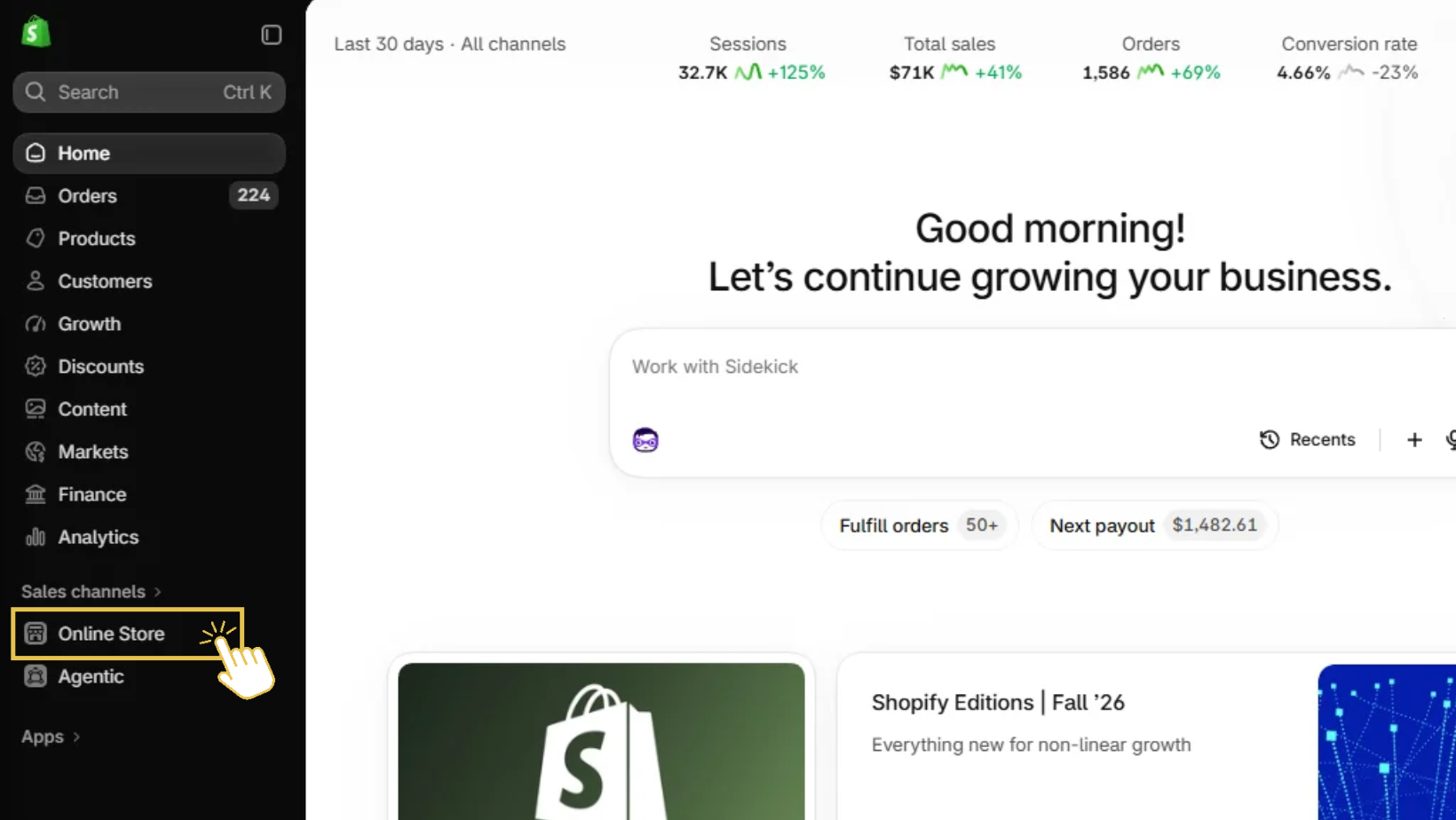
Located towards the bottom of your left-side navigation menu, scroll down and click on the “Online Store” under “Sales Channels.” This should open up your theme page and more options underneath.
Step #2: Select “Preferences” Under “Online Store”
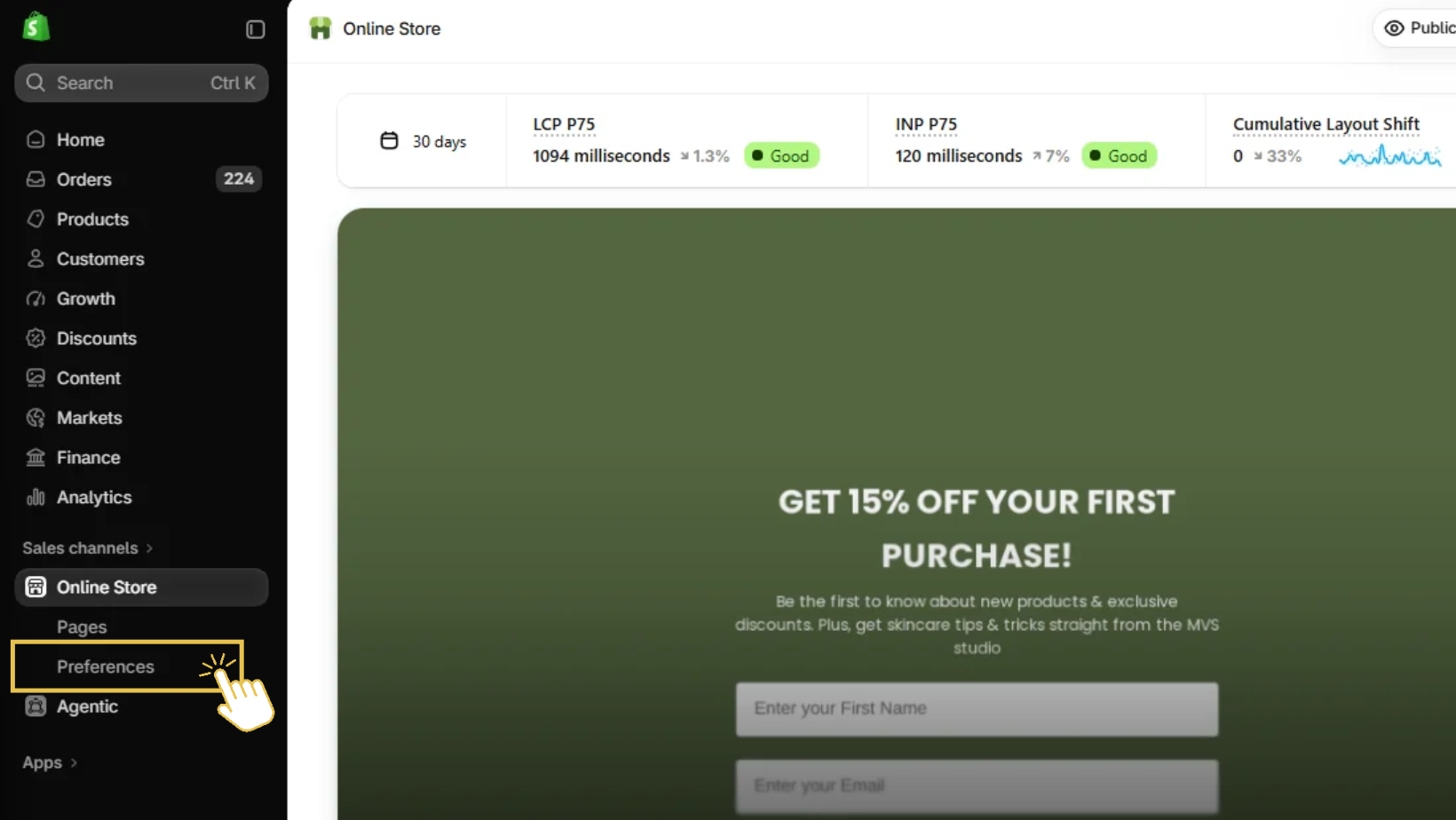
Your next step is to click on “Preferences” under your “Online Store.” If you don’t see the preferences option, this tutorial may not work for your specific store!
Step #3: Change Your Homepage’s SEO Page Title
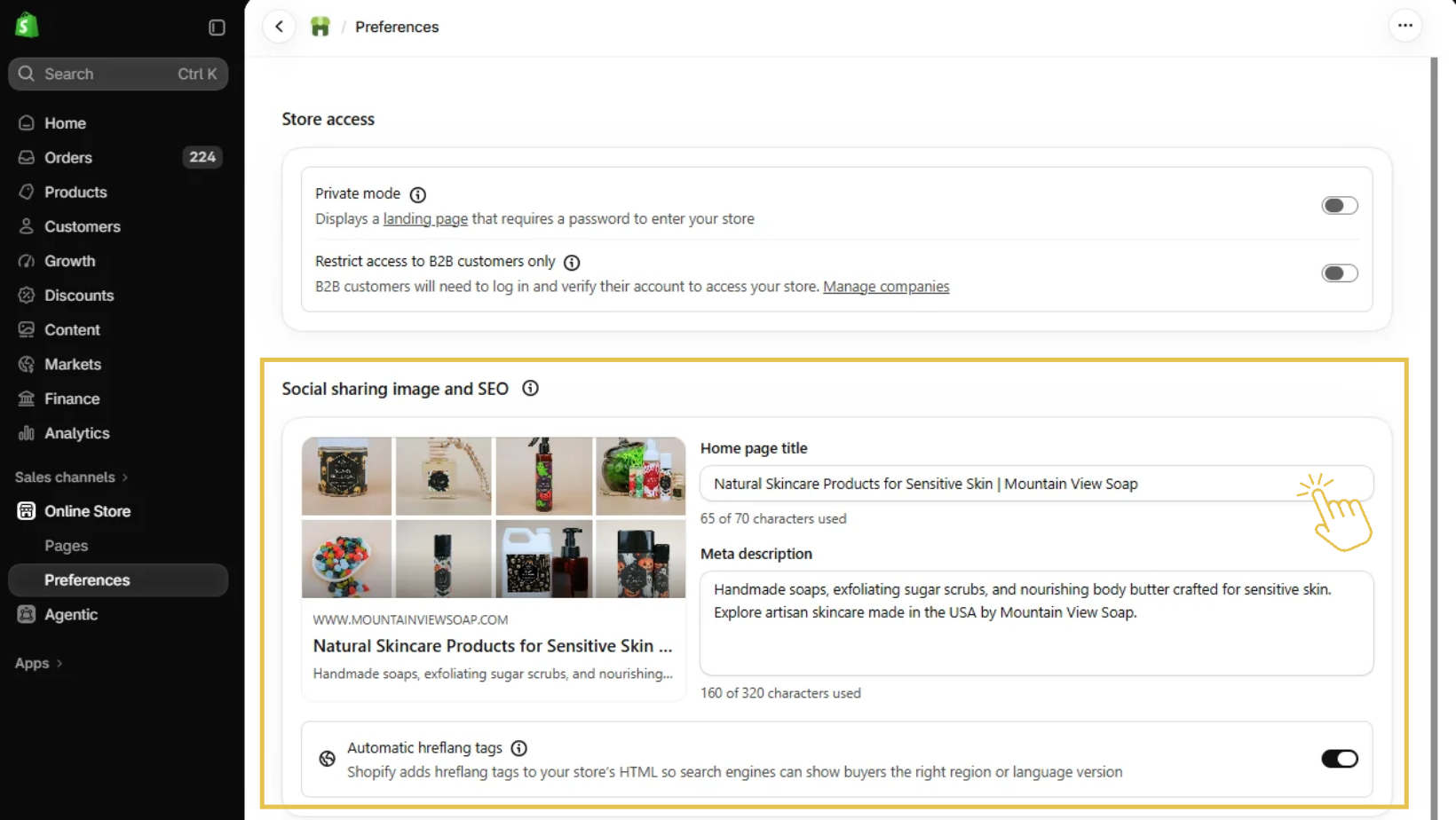
Once you’ve clicked on your “Preferences” you should see a screen that looks like the above, but for your shop (not our example). This is where you can type in and change your homepage’s SEO page title (labeled “Home page title”), your Meta description, and even your social share/featured image for the page.
If you make a change, you will need to hit save for the changes to apply. However, it can take a few days for search engines (including Google) to catch up with these changes and present them in search results.
What’s Next? How to Get Your Shopify Store to Show Up In Search Results
Unfortunately, your homepage’s SEO settings is just the first step in creating a shop that shows up in search results (and in front of the right people, too). Once you update your page title and meta description for this core page, you have to repeat the process for your pages, products, and collections, too!
But if that feels like biting off more than you can chew for the day, another good next step is just making sure that you have your Google Analytics and Google Search Console set-up (they’re free!)—and if that’s done, setting up your Bing Webmaster, too!
Want more tips and tricks for getting your Shopify website’s SEO working for you? Download the free SEO Checklist here!
More of a “I don’t want to DIY this on my own?” come join Back Pocket SEO and done-with-you SEO support to help your shop grow (or hand it off completely with my 1:1 Shopify SEO services 💃).

